All articles
Invero now supports WebMCP
Any agent that visits your website can now ask your company directly
Emil Sorensen
Invero now supports WebMCP. Any agent that visits your website can ask your company directly, through an official endpoint built for agents instead of crawling pages built for humans. Answers come from your own knowledge, with links to the source.
We think this is where agents and the web are heading. Today agents learn about a company through web search, scraping and third-party indexes. That works for now but it is a stopgap. Companies should be able to present themselves to agents in their own agent-ready format, the same way they built websites for people. WebMCP is an early version of that.
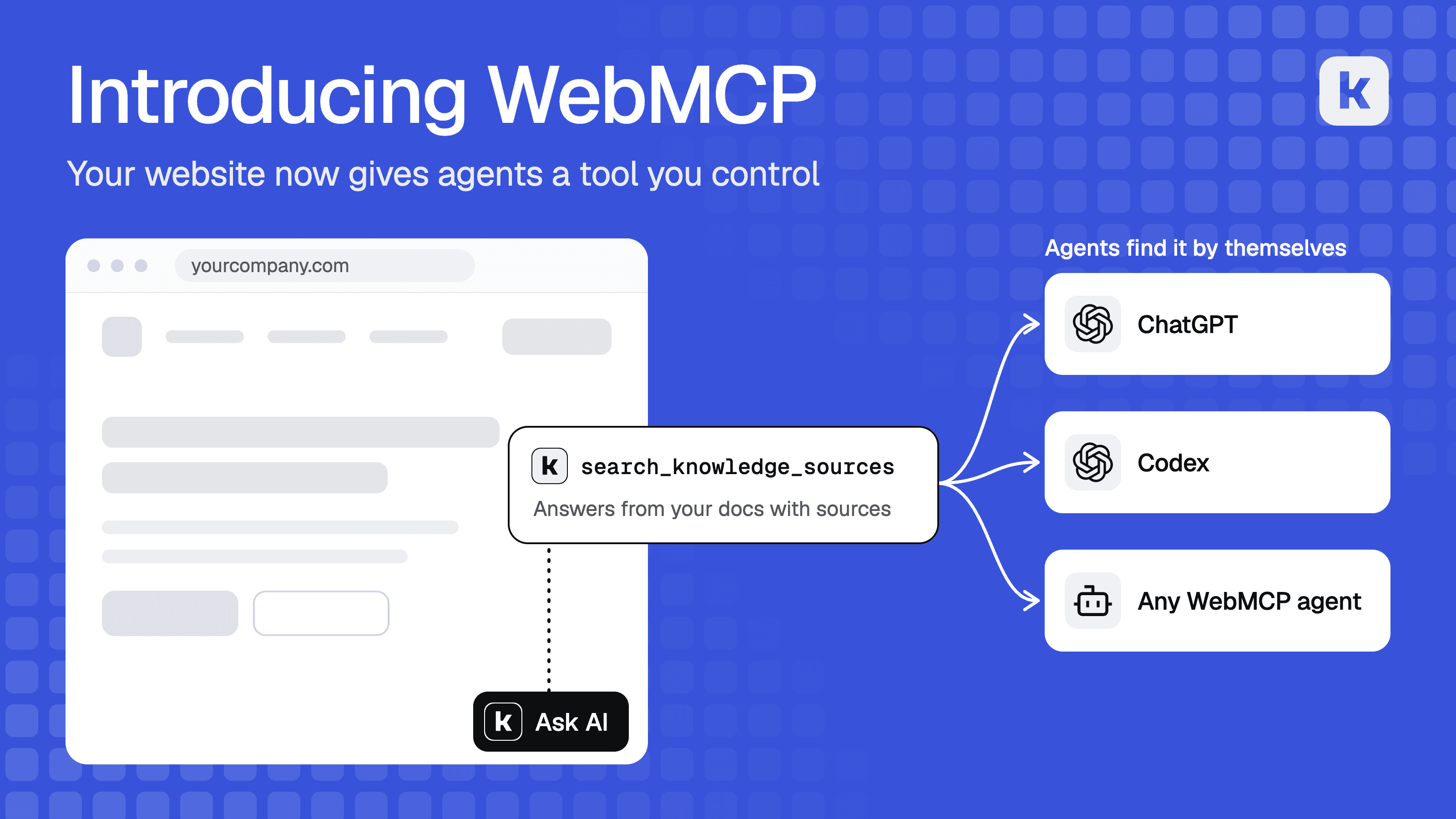
Look at how an agent reads your website today. It runs a web search, fetches your pages and converts them to Markdown, or it uses tools like Exa or Firecrawl to do that under the hood. A format built for people gets squeezed into something an agent can half work with. It reminds us of the early mobile web, when phones loaded desktop sites and you pinched and zoomed your way around them. It worked, but nobody would call it the right design.
We think the web needs a native way for agents to reach it, and WebMCP is the most promising one we have seen. So we are shipping support for it today. It is still early. The standard is a draft and only some agents support it so far.
WebMCP is a proposed web standard that lets a page give an agent tools to call directly. The site decides which tools exist and what they do. With Invero, your website gives every visiting agent a tool to ask your company questions. Answers come from your docs and other knowledge sources, with links to the source. It takes one attribute on the Invero script.
Where it works today
In late August OpenAI added WebMCP to the built-in browser in the ChatGPT desktop app. ChatGPT Work and Codex already use the tools a site provides there. OpenAI calls them site tools and launched them with a WebMCP Challenge together with Google Chrome, Cloudflare, Shopify, Vercel, Render and Netlify.
Chrome supports WebMCP in an origin trial that started in Chrome 149. The spec is a draft in the W3C Web Machine Learning Community Group. We expect more browsers and agents to add support soon.
WebMCP and MCP
MCP and WebMCP solve the same problem in two places.
MCP connects an agent to a server. A user installs it once in Claude, Cursor, ChatGPT or another client and can use it from anywhere, with or without your site open.
WebMCP lets your website offer tools to an agent that is visiting it. There is nothing to install. The tool belongs to the page and is there while the agent is on it.
You may already have the MCP half. If you run a Invero hosted MCP server, your users can connect it in their editor or desktop app today. See Driving users to MCP for how to get them to install it. WebMCP adds the same thing to your website for agents that browse it. Both use the same tool name and the same retrieval, so an agent gets the same results either way. You can set up either one from Claude or ChatGPT with Invero MCP.
How it works
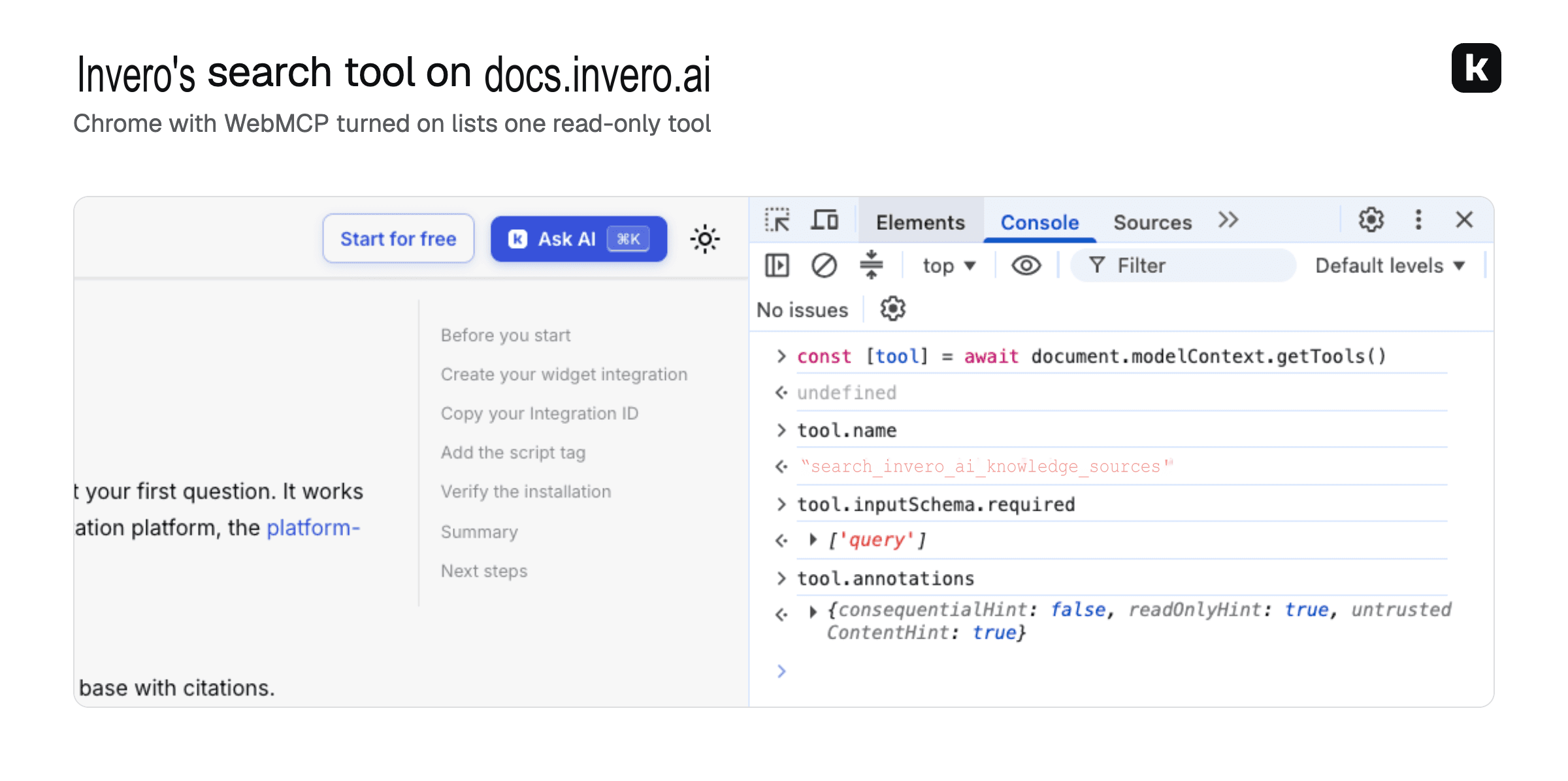
With WebMCP on, the Invero script registers one read-only tool called search_<project_name>_knowledge_sources. The tool takes a question in plain language and returns the most relevant passages from your knowledge sources. Each passage includes its source URL and its content in Markdown.
Searches use the same anonymous user identifiers as the Invero widget and follow your user tracking settings.
Each call goes through the same captcha check as the widget. If the check needs the user, the tool tells the agent to ask the user to complete it and then try again.
Analytics and control
Every question an agent asks through WebMCP shows up in your Invero analytics. You see what agents want to know about your company, and where your knowledge doesn't have the answer yet.
You also decide what agents get. Keep the tool to certain sources with data-source-group-ids-include. Leave out noisy content, like old blog posts from 2020 that still shape what general-purpose LLMs say about you, with crawl exclusions or a minimum publish date. For sensitive topics like pricing, add custom answers so agents get the answer you wrote.
Set it up
You don't need a chat widget live for people. WebMCP only needs the Invero script on your site.
In the Invero dashboard, create a Website Widget integration, enable your domains and copy its Integration ID. The Website Widget quickstart walks through it.
Add the Invero script to your site with
data-webmcp-enabled="true".If you only want the agent tool and no chat button for people, also add
data-button-hide="true". Leave it out to keep the Ask AI button.
The script registers the tool when the browser supports WebMCP. If you set data-consent-required="true", it also waits for the user's consent. Browsers without WebMCP support ignore the attribute and your site works as before.
WebMCP is already on for docs.invero.ai. Below is Chrome with WebMCP turned on, listing the tool registered on that page.
What this means for your website
More of your website traffic will come from agents working for your customers and buyers. Today an agent on your site gets a worse version of it than a person does. With WebMCP your site can answer agents in a format built for them, from the same knowledge that answers your users, with links back to the source.
More blog posts to read
Retrieval’s bottleneck is moving from finding to selecting
Retrieval got much better at finding chunks. Now the hard part is choosing what to show.
Jev is NOT a state-of-the-art reranker (but it's close)
We tested Jev 1.13 and 1.14 against Voyage, Cohere and Qwen rerankers on 1,000 real-world eval cases